Wazuh Agent Deployment
Deploying a Ubuntu-based Wazuh agent VM in the isolated lab network and registering it with the manager.
1. Create and Configure Agent VM
- OS: Ubuntu Server (latest LTS).
- Resources: ≥ 1 GB RAM, ≥ 8 GB disk, 1 CPU core.
- Network: attached to
vmbr1(isolated), static IP10.10.10.10/24. - Manager reachable at
10.10.10.1(SIEM VM second NIC).
ip a
ping 10.10.10.10
2. Install Wazuh Agent
scp wazuh-agent-4.x.deb agent01:/home/agent01/
sudo dpkg -i wazuh-agent-4.x.deb
systemctl status wazuh-agent
3. Configure Agent → Manager Communication
sudo nano /var/ossec/etc/ossec.conf<client>
<server>
<address>10.10.10.1</address>
<port>1514</port>
<protocol>tcp</protocol>
</server>
</client>sudo systemctl restart wazuh-agent4. Register the Agent on the Manager
sudo /var/ossec/bin/manage_agents- On manager: A → Add agent (name=agent01, IP=10.10.10.10), E → Extract key.
- On agent: I → Import key → paste key.
sudo systemctl restart wazuh-agent5. Verify Connection
sudo /var/ossec/bin/agent_control -lcExpected output:
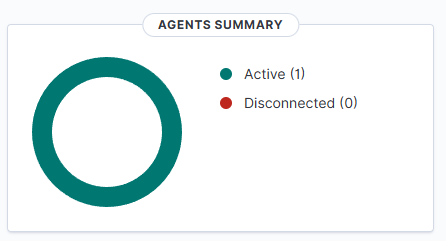
ID: 001, Name: agent01, IP: 10.10.10.10, Status: ActiveDashboard: Agents → Manage agents → confirms agent01 active.

6. Notes
- If agent shows Never connected: check firewall (1514/tcp, 1515/tcp), correct
ossec.conf, and key import. - Without internet in lab subnet,
.debfiles must be side-loaded. - Manager and agent must share
10.10.10.0/24subnet.
✅ End result: Agent agent01 deployed and reporting to Wazuh manager 192.168.2.155.
Next Up
- Log routing, dashboards, and detections (coming soon)